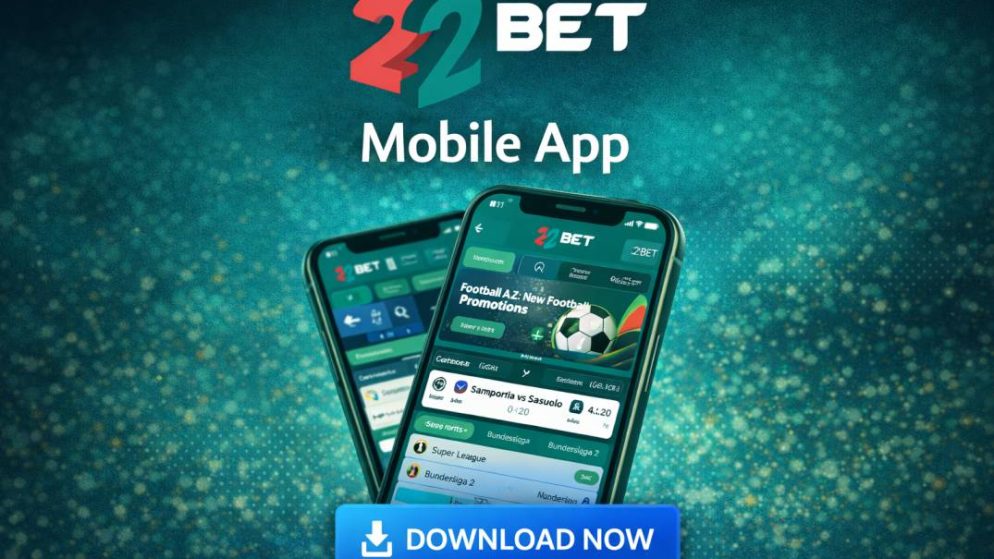
If you’ve been around the Kenyan betting scene for a bit you’ll probably have noticed the 22bet banners plastered all over the place – green and white ones to be precise. You’d think that many international bookies would be struggling with Kenyan regulations , but 22bet has managed to carve out a little niche on the home screens of many local punters. Here’s everything you need to know about this app – from who’s behind it to what you get out of putting it on your phone.
First Impressions & User Experience
The 22bet app isn’t about looking flashy at the expense of speed. The Look: its dark-green theme is pretty straight forward and easy on the eyes when you’re up late betting. The app itself is noticeably speedier than the mobile website. Live betting (in-play) is handled very well, odds update in real-time without you having to constantly refresh your browser like you do on the web . Navigation-wise everything is right at your fingertips – you can switch between sports, live & the casino using that bottom navigation bar.
22bet keeps its bonuses pretty consistent across all platforms but there’s a few benefits to using the app. New users can get a 100% bonus on their sports wagers up to Ksh 19,000 (or Ksh 35k for the casino). There isn’t always a ‘download only’ cash bonus but the app lets you turn on push notifications – handy for those “exclusive flash offers” or “enhanced odds”. The app also uses less data than the mobile site because the interface elements are stored on your phone.
The 22bet mobile app makes a good first impression – fast loading times and easy navigation make it perfect for when you need to quickly get on and place a bet or access the casino. Reviews praise its smooth performance on both Android & iOS devices on moderate connections and users in places like Kenya appreciate that it’s optimised for local devices.
How to sign up with the 22bet app
Signing up with the 22bet app is dead easy. After installing the app, open it up and hit the “register” button at the top of the home screen. You can choose to register with either your phone number or email but for most people in Kenya the phone one is quicker. Just enter your active phone number, create a decent password and pick Kenya and Kenyan Shillings as your currency. Once you’ve done that you’ll get a verification code sent to your number – just enter it and your account will be up and running straight away.
After that, just log in, fill in your full name & date of birth – that’s pretty important for future withdrawals and deposits. You can also set some deposit limits or turn on two factor auth for extra security. Topping up your account with popular local payment methods like M-Pesa or Airtel is a breeze too – means you can top up without having to switch over to another app.
How to deposit with 22bet App
Depositing on the 22bet app is a breeze, especially for Kenyans. Once you’re logged in, you’ll see the “Deposit” button prominently displayed on the home screen, or you can look for it in your profile section. Most Kenyans will want to use M-Pesa, and it’s a pretty quick process – just tap on it and the app will give you 22bet’s official paybill number. From there, just enter the amount you want to chuck in and you’ll get an M-Pesa STK push request on your phone. Just enter your PIN to confirm the transaction and within seconds your funds will be added to your account balance. You’ll be all set to start betting right away.
How to withdraw from 22bet app
First things first, log back in, then head to the menu and tap “Withdrawal”. If you’re using M-Pesa, this is the way to go – just select it, enter the amount (minimum KES 100, don’t forget), and then confirm the transaction through your phone’s M-Pesa menu using the app’s paybill details. As a general rule, your cash should land in your M-Pesa account within 15 to 30 minutes once it’s been approved.
22bet app android
The 22bet Android app isn’t available through Google Play, which is no great surprise given the gambling restrictions in place. BUT, you can still grab the latest version from the official website at 22bet.co.ke. Just head to your phone’s settings and enable “unknown sources” (you know, for the times when you need to download random APK files), then visit the website, tap “Download App for Android”, and away you go – the APK file should only take up about 100MB of storage, by the way. Once you’ve got it installed, you’ll have full access to all the betting features and live updates, plus push notifications that are all optimized for Kenyan users.
22bet app for ios
If you’re rocking an iPhone, the good news is that the 22bet iOS app is available directly on the App Store. Just search for “22 Bet: Sports Betting Kenya” and click “Get” to install it straight away (you’ll need iOS 12.0+, but no problem if you’ve got that). It’s basically the same as the Android version – fast, feature-packed, and with seamless M-Pesa integration for Kenya. And because it’s in the App Store, you don’t need to worry about sideloading anything or messing around with security settings.
FAQs
How to load betslip on 22bet app
Want to load up a betslip on the 22bet app? Easy peasy. Just fire up the app, tap on the “Betslip” icon down at the bottom of the screen, and then select “Download/Save Betslip”. Next, just enter your betslip code and hit “OK” to get the matches you need to stake on loaded up into your betslip in no time.
How to download 22bet app on iphone
Going for an iPhone? No worries, just search for “22 Bet: Sports Betting Kenya” in the App Store and click “Get” to install it in a jiffy. If you’re an Android user, though, it’s a bit more complicated – you’ll need to head to the website at 22bet.co.ke, download the APK file, and then enable “Unknown Sources” in your phone’s security settings so you can get the install going.
How to Withdraw on the 22bet App
Time to cash out your winnings? Alright, just head to your profile menu and click on “Withdrawal”. You’ll need to choose a mobile money service – M-Pesa or Airtel Money should do the trick – then enter the amount you want to withdraw (minimum KES 100), and finally confirm the transaction. Most withdrawals should turn up in your mobile wallet within 15 to 30 minutes, max.
I’m Kanyi Muturi and am from Tabuga, a small village in Nakuru. I have been following all sports since I was a kid and have been interested in the gambling side of sports since I was in high school. It took me a little while to get a grasp on all of the different gambling terminology and understand how confusing and complicated it can all seem when you first start.
Are you a professional gambler?
I am a successful gambler. But make no mistake about it: I’m a long-time recreational sports bettor. I’m not a professional gambler. I’m not claiming to be a professional gambler. I’ve never, to my recollection, even been acquainted with a professional gambler. And far be it from me to make the preposterous claim that following my advice will turn you into a professional gambler. It ain’t about that. Not here it ain’t. I just want to teach you a new form of recreation, a fun new pastime in what can sometimes be an unfun life.