If you’ve ever done a casual walk around a Kenyan town, the chances are you’ve spotted the bright and eye-catching green and yellow branding of Odibets. The company broke onto the Kenyan market back in 2018 and it pretty much landed on its feet as a number of bigger players in the industry like SportPesa were running into difficulties with regulations. This gave Odibets the opportunity to quickly establish itself & eventually become a name on everyone’s lips by doing things a bit differently & focusing on the mobile experience. Here’s everything you need to know about the Odibets App.
About Odibets App

The first thing you’ll probably notice when you look at the Odibets app is just how quick it is. Unlike some betting apps which can be a bit of a handful because they’re so heavy and slow, the Odibets APK weighs in at a mere 2MB. And that’s a big part of the reason why it’s so user-friendly – it just ticks all the right boxes.
A clean and clear green and yellow theme, not too many annoying ads, and all the main features – live games, the Odi League (virtuals), the casino – right there for you to tap on. And let’s be honest – if you’re up late watching a UEFA Champions League match and you want to conserve some battery life, you can just switch to dark mode.
Odibets is owned by Kareco Holdings Limited – a company which presents itself very professionally, but interestingly, is widely associated with the son of Kenya’s 3rd President Mwai Kibaki, Jimmy Kibaki, who is said to be a key figure and chairman in the company’s leadership.
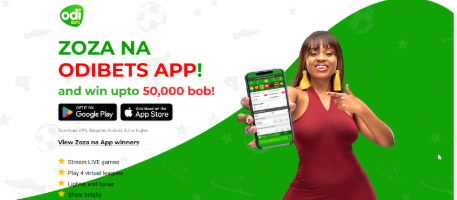
Exclusive Mobile App Offer: “Zoza na OdiBets App”
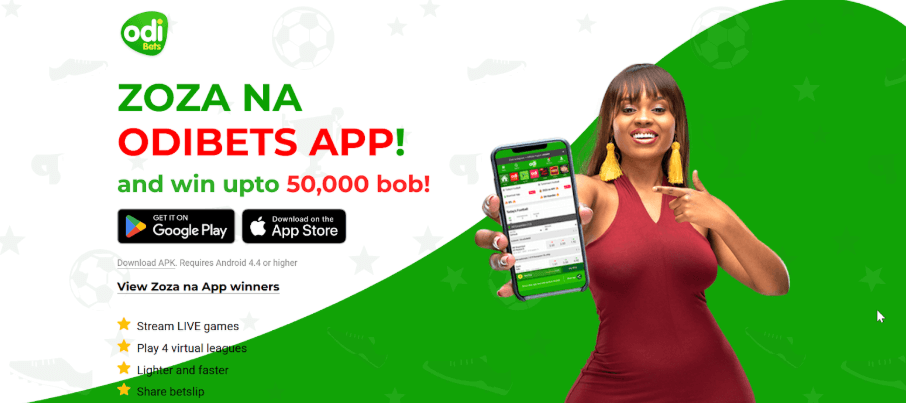
One of the best reasons to Ditch the browser and go with the app is the exclusive offer for app users. This one’s specifically designed with rewards in mind.
To Enter:
- Get the App: First you need to download the Odibets App from their official website (or from the Play Store.
- Stake Your Bet: Place a cash bet of at least 49 KSH.
- Make sure you meet the odds: Check that your total odds come out at 7.99 or higher.
- Auto-Entry: Job done – you’re automatically entered into the draw.
200 winners get 200 KSH credited to their account each day and 2,000 winners get some pretty useful bonuses, which, funnily enough, can be withdrawn straight into your MPESA account.
How to register with Odibets app
To get started with the Odibets app, you fire up the app and look for the “Join Now” or “Login/Register” button right at the top of the screen – it’s usually pretty hard to miss. Clicking on this will open up a registration form where you enter your Safaricom mobile phone number and come up with a secure six-character password – try to make it a bit more complicated than just a bunch of random numbers. You enter those details, then click “Create Account” to send off your registration request.
After that, a one-time verification code pops up in an SMS to the phone number you gave them. You put this code into the app to verify your identity and get your account up and running. Once you’ve done that, your account is all set to go – you can deposit some cash, claim your welcome free bet and get started betting on sports or casino games right away.
Features of the App
The app has a load of features that cater to both sports and casino fans. You can give the Aviator crash game a go, where you place dual bets and use their auto-cashout tool to lock in some profits in real time – it’s a pretty cool little feature. Then there’s Odi-Live where you can place bets on ongoing matches with the odds updating in real time, and the OdiLeague which gives you virtual football matches that settle in a couple of minutes so you’re always in the action. Oh and let’s not forget the full online casino with slots and live dealer games like Roulette and Blackjack.
How to bet using Odibets app
To bet with the Odibets app, you first log in to your account and make sure you have enough cash in there to play with. You can then navigate the sportsbook by picking your preferred sport – maybe you’re a football fan, or a basketball fan, or a tennis fan… and then you get to browse through all the different countries and leagues or use the search function to find a specific team or event.
Once you’ve found a match, you click on it to see all the different betting markets that are available – you know the ones, 1X2, Over/Under, Correct Score and so on. You then make your predictions by tapping on the odds associated with your bet, which then gets added to your bet slip. And you can have up to 30 selections in a single multi-bet if you feel up for it.
After you’ve selected all your picks, you then open up the bet slip and put in the amount you want to stake, then click “Place Bet”. If the odds have changed while you were getting the slip ready, the app will prompt you to accept the new prices before the bet goes through. Then once you’re all done and happy with your bet, the amount gets deducted from your balance, and you can keep an eye on the status of your bet in the “My Bets” section of the app.
How to load booking code on Odibets app
To get a booking code up and running on the Odibets app, you’ll need to dive into the “Share Bet” feature which lets you import a set of matches from some other guy. First things first, log in to your account and tap the Bet Slip icon – it’s either down at the bottom or top right of the screen, so shouldn’t be too hard to find.
Once inside the empty bet slip interface, you’ll need to hunt down the text input box marked “Enter Booking Code” or “Share Bet Code”. Just type or paste in the alphanumberic code you got sent to you, then click that “Load” or “Search” button and let the app sort out all the details for you. Before you know it, it’ll have populated your bet slip with all the selections you need – and that includes the actual markets and current odds too.
From here, you can get a bit creative and add or remove games to your heart’s content, or sort out your stake and get on with making the bet.
How to download and install Odibets app
Android Version
As luck would have it, the app isn’t in the Google Play Store, so you’ll need to get it manually.
Just open up your mobile browser and head to the official Odibets website. Look for the “Download App” button hanging about in the sidebar or maybe at the top of the page – it might take a bit of digging, but you should be able to find it. Click that and the download process should kick in.
iOS
- You can either tap the link above on your iPhone or iPad, or just have a butcher’s in the App Store and see if Odibets is listed.
- Tap “Get” to start the download and then verify the installation if needed using FaceID, TouchID, or your Apple ID password.
FAQs
How to download odibets app
Like we said, downloading the Odibets app on iPhone is dead simple – just open up the App Store, search for Odibets and tap Get to install it straight away. Android users will need to pop over to the official Odibets website, track down the download button, and grab the APK file from there. Before opening the file, make sure you’ve allowed your phone to install apps from unknown sources – once you’ve done all that, just open the file and select Install to get started. And don’t forget – you need to be 18 or over to even think about using the Odibets platform for betting.
Read also: Odibets Review
I’m Kanyi Muturi and am from Tabuga, a small village in Nakuru. I have been following all sports since I was a kid and have been interested in the gambling side of sports since I was in high school. It took me a little while to get a grasp on all of the different gambling terminology and understand how confusing and complicated it can all seem when you first start.
Are you a professional gambler?
I am a successful gambler. But make no mistake about it: I’m a long-time recreational sports bettor. I’m not a professional gambler. I’m not claiming to be a professional gambler. I’ve never, to my recollection, even been acquainted with a professional gambler. And far be it from me to make the preposterous claim that following my advice will turn you into a professional gambler. It ain’t about that. Not here it ain’t. I just want to teach you a new form of recreation, a fun new pastime in what can sometimes be an unfun life.